
Understanding LXC Containers and Virtual Machines in Proxmox
Proxmox Virtual Environment (Proxmox VE) is one of the most powerful open-source platforms for virtualization and homelabs. It allows you to run multiple operating systems and applications on a single physical server.
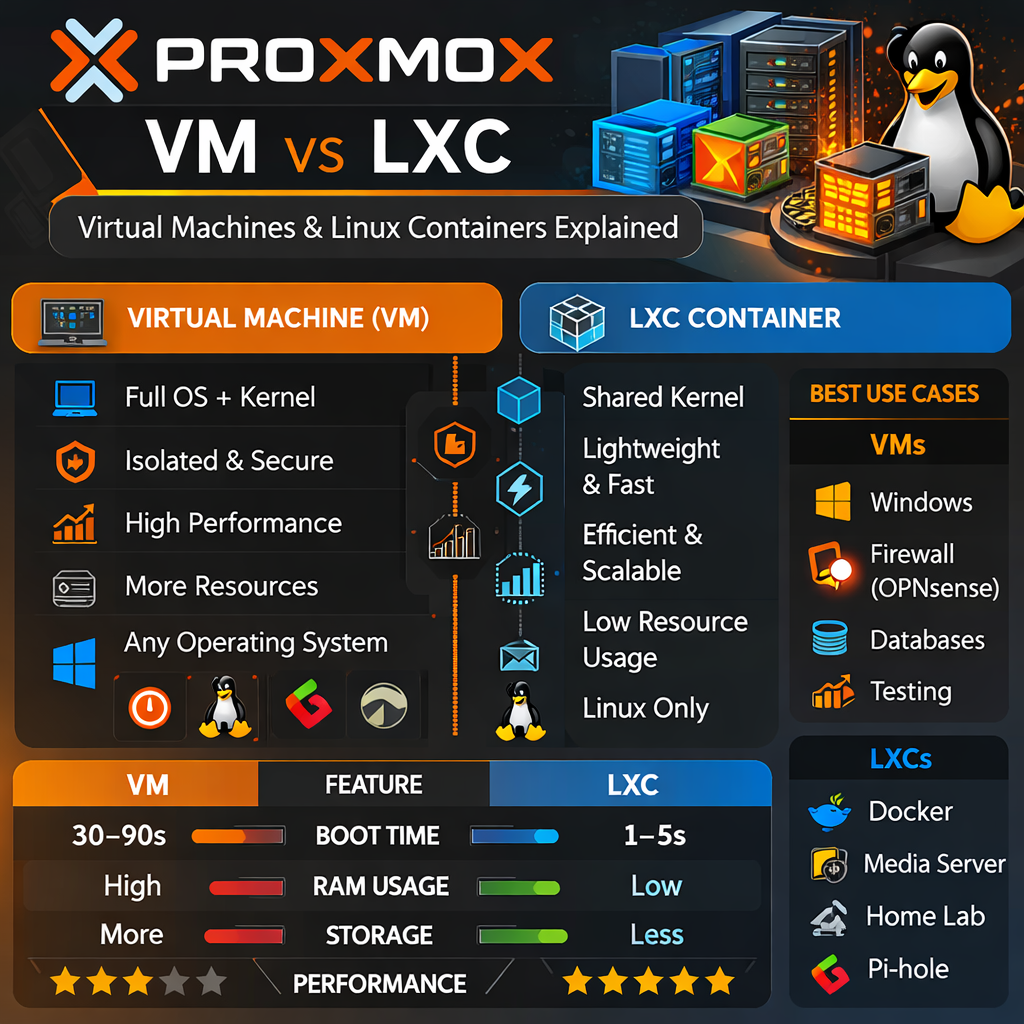
The two main technologies used in Proxmox are:
- Virtual Machines (VM)
- Linux Containers (LXC)
Understanding the difference between these two technologies will help you design a faster, more efficient homelab or server infrastructure.
The Proxmox Virtualization Stack
Proxmox sits on top of a Debian Linux system and provides tools to manage both virtual machines and containers through a web interface.
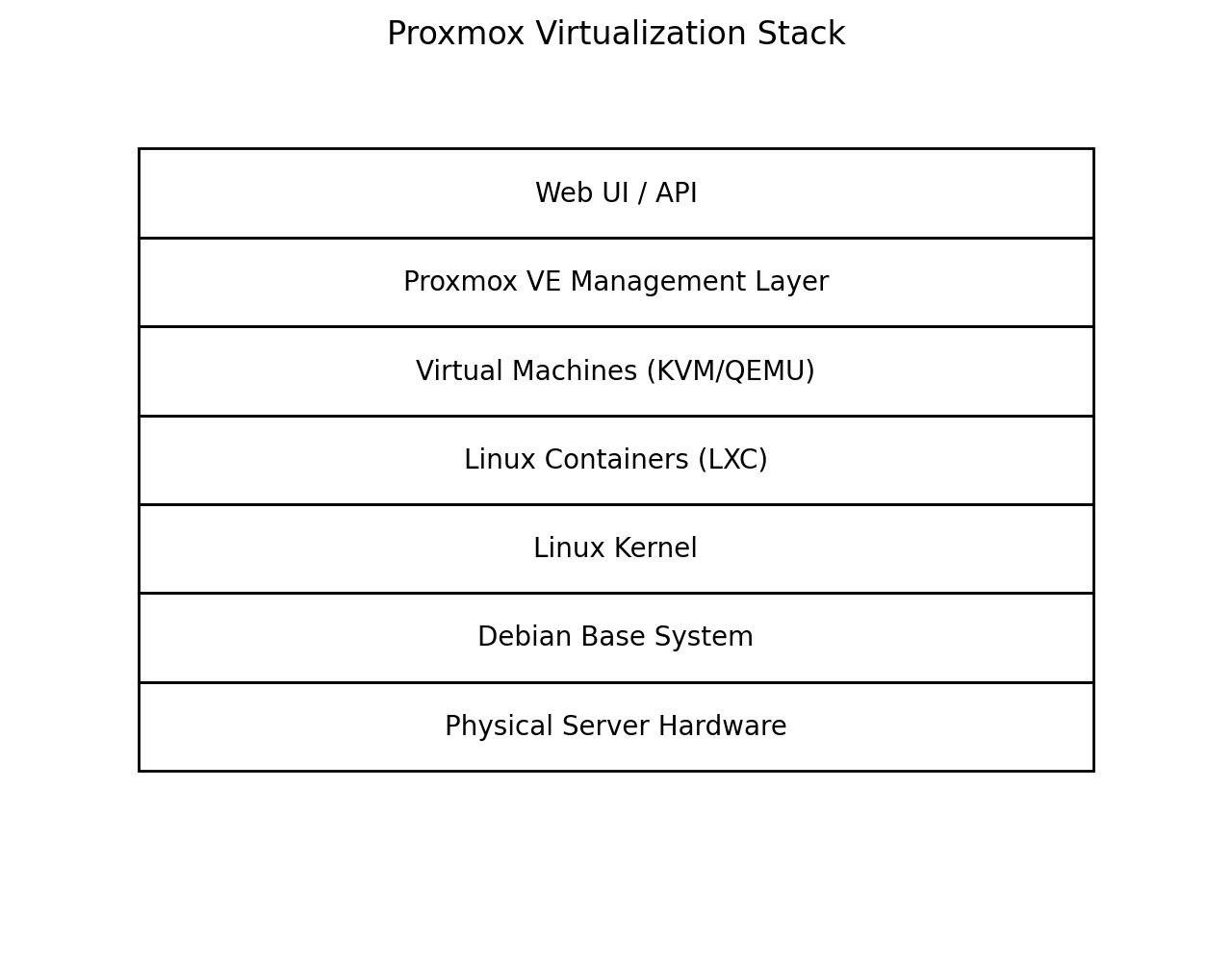
The Proxmox platform integrates several layers:
- Debian Linux base operating system
- Linux kernel
- KVM for full virtualization
- LXC for lightweight containers
- Proxmox management interface and API
From a single dashboard you can manage storage, networking, backups, clustering, and dozens of virtual workloads.
What is a Virtual Machine (VM)?
A Virtual Machine is a completely isolated computer running inside your server. It has its own operating system, kernel, memory, disk, and network interface.
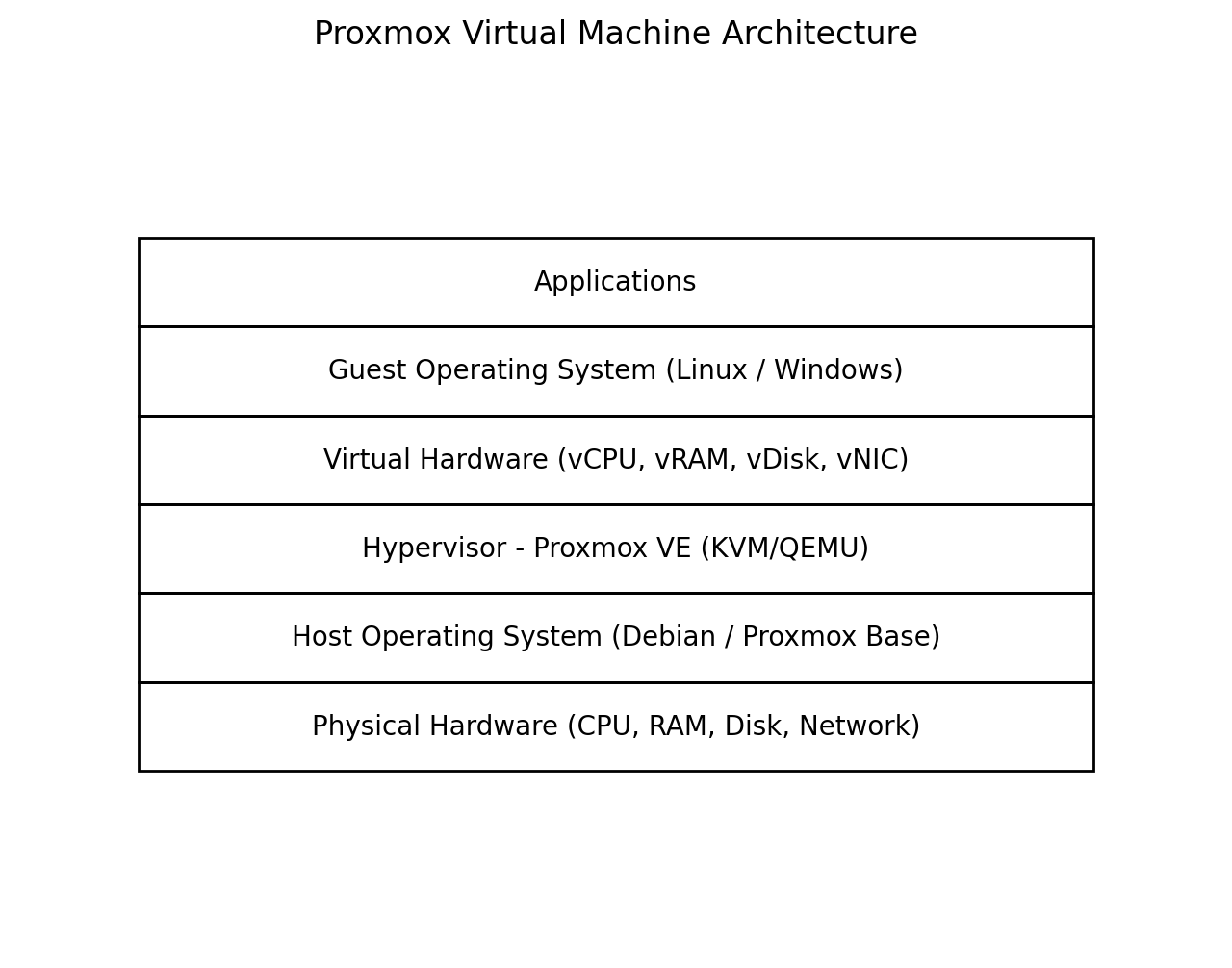
How Virtual Machines Work
Proxmox uses KVM (Kernel-based Virtual Machine) and QEMU to emulate virtual hardware such as CPUs, RAM, hard drives, and network cards.
This means you can run almost any operating system inside a VM:
- Windows Server
- Linux distributions
- BSD systems
- Specialized appliances
Advantages of Virtual Machines
- Full operating system isolation
- Supports any OS
- Excellent security separation
- Ideal for production servers
Disadvantages
- Uses more CPU and RAM
- Slower boot times
- Higher storage usage
What is an LXC Container?
An LXC container is a lightweight virtual environment that shares the host Linux kernel instead of running a full operating system.

How Containers Work
Instead of emulating an entire computer, containers isolate applications using Linux kernel features such as:
- Namespaces
- Control groups (cgroups)
- Filesystem isolation
Because containers share the same kernel as the host system, they are extremely fast and efficient.
Advantages of LXC Containers
- Very lightweight
- Extremely fast boot times
- Low RAM usage
- Perfect for microservices and homelabs
Disadvantages
- Linux only
- Less isolation than VMs
- Some kernel modules may not be supported
VM vs LXC Comparison
| Feature | Virtual Machine | LXC Container |
|---|---|---|
| Operating System | Any OS | Linux only |
| Performance | Moderate | Very fast |
| Resource Usage | Higher | Very low |
| Isolation | Very strong | Moderate |
| Boot Time | Slower | Almost instant |
When Should You Use Each?
Use Virtual Machines for:
- Windows servers
- Security-sensitive applications
- Testing multiple operating systems
- Running appliances like OPNsense
Use LXC Containers for:
- Docker hosts
- Media servers
- Home automation
- Web applications
- Lightweight services
Example Homelab Setup
A typical Proxmox homelab might look like this:
- VM: OPNsense firewall
- VM: TrueNAS storage server
- LXC: Pi-hole / AdGuard DNS
- LXC: Jellyfin media server
- LXC: Paperless-NGX document manager
- LXC: Immich photo server
This hybrid approach takes advantage of both technologies.
Conclusion
Proxmox combines the power of full virtualization and containerization in one easy-to-manage platform. Virtual machines provide strong isolation and maximum compatibility, while LXC containers offer lightning-fast performance and efficient resource usage.
By understanding when to use each technology, you can build a powerful and flexible server environment for your homelab or production infrastructure.